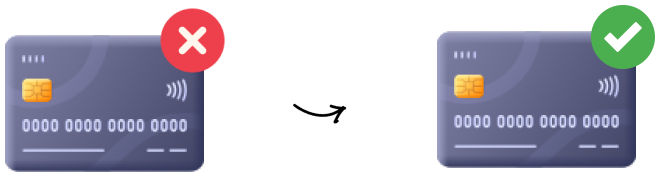
1. Enter your subscription data
2. We automatically sign your cancellation letter
3. We'll send your cancellation letter

4. Cheers! Your subscription's cancelled







Xpendy helps people in 20+ countries cancel subscriptions hassle-free in just 2 minutes.

 Cancel subscriptions in 2 minutes
No need to contact customer service
Registered mail with track & trace
Legally valid cancellation letter
Your details filled in automatically
Clear and user-friendly process
100% satisfaction guarantee
Cancel subscriptions in 2 minutes
No need to contact customer service
Registered mail with track & trace
Legally valid cancellation letter
Your details filled in automatically
Clear and user-friendly process
100% satisfaction guarantee Finding contact details yourself
Long wait times with customer service
No proof of cancellation
Writing and sending the letter on your own
Incomplete or invalid cancellation
Time-consuming and stressful
Unclear cancellation terms
Finding contact details yourself
Long wait times with customer service
No proof of cancellation
Writing and sending the letter on your own
Incomplete or invalid cancellation
Time-consuming and stressful
Unclear cancellation termsDo you want to cancel your Other membership with iCloud Storage? Then we can do this for you! We will take care of the cancellation by sending a letter of cancellation to iCloud Storage with all the necessary details on your behalf. We do this by sending a registered letter and keeping you updated throughout the process. By sending a registered letter, the cancellation is completely legally valid. You will also receive a proof of posting. So, you have full assurance that your Other membership is cancelled. Cancelling has never been so easy!
With iCloud Storage, you can find your notice period in your contract and in the general terms and conditions.
Your subscription to iCloud Storage is cancelable at any time according to the terms of your contract.
iCloud Storage
Website
www.apple.com
Address:
iCloud Storage
Hollyhill Industrial Estate Hollyhill
Cork
T23 YK84
Ireland
If you decide to cancel your iCloud Storage subscription, all your existing photos, videos, and documents stored in iCloud will remain safe, but new data will not be saved there. Additionally, you will lose the ability to send or receive emails using your iCloud email address. To cancel the service, you can visit the iCloud website and follow the designated steps. Alternatively, you can also cancel your iCloud Storage through Xpendy, although this option may incur some costs.
Guidelines for data recovery and deletion it's important to note that icloud will not delete your data immediately after stopping payment. You can download your data or transfer it to another service like google photos before making changes to your subscription.
When you decide to cancel your iCloud Storage subscription, it's essential to understand the implications. If your iCloud storage surpasses your new plan's capacity, iCloud will stop syncing and updating your data. To resume service, you must either upgrade your storage plan or clear space by deleting files. Another option to cancel iCloud Storage is through Xpendy, but keep in mind that this may involve some costs.