Cancel
Guardio
4,0
/ 5,0
(2,034 reviews)
4,0
/ 5,0
(2,034 reviews)
1. Enter your subscription data
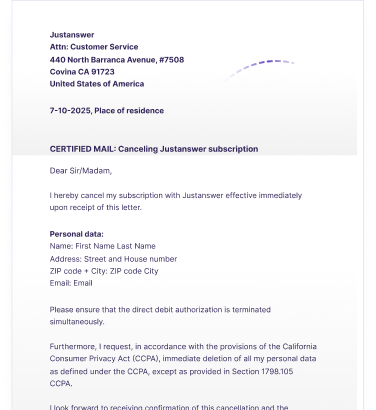
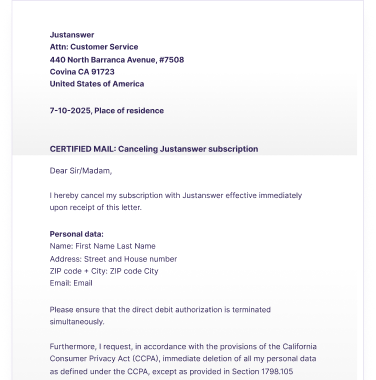
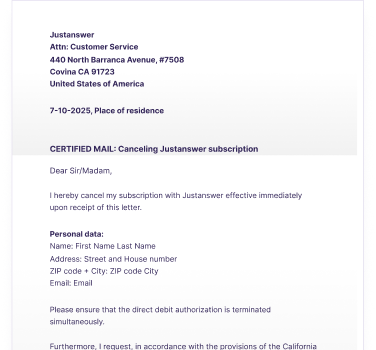
2. We automatically sign your cancellation letter
3. We'll send your cancellation letter

4. Cheers! Your subscription's cancelled

We always coordinate with the service you’re cancelling. This way, we can not only guarantee that your subscription is truly terminated, but also do so in a sustainable, fast and secure way!
 Sustainable
 Lighting fast delivery
 100% satisfaction guarantee





Xpendy helps people in 20+ countries cancel subscriptions hassle-free in just 2 minutes.

 Cancel subscriptions in 2 minutes
No need to contact customer service
Real-time tracking and updates
Legally valid cancellation letter
Your details filled in automatically
Clear and user-friendly process
100% satisfaction guarantee
Cancel subscriptions in 2 minutes
No need to contact customer service
Real-time tracking and updates
Legally valid cancellation letter
Your details filled in automatically
Clear and user-friendly process
100% satisfaction guarantee Finding contact details yourself
Long wait times with customer service
No proof or updates of cancellation
Writing and sending the letter on your own
Incomplete or invalid cancellation
Time-consuming and stressful
Unclear cancellation terms
Finding contact details yourself
Long wait times with customer service
No proof or updates of cancellation
Writing and sending the letter on your own
Incomplete or invalid cancellation
Time-consuming and stressful
Unclear cancellation termsDo you want to cancel your Other membership with Guardio? Then we can do this for you! We will take care of the cancellation by sending a letter of cancellation to Guardio with all the necessary details on your behalf. We do this by sending a registered letter and keeping you updated throughout the process. By sending a registered letter, the cancellation is completely legally valid. You will also receive a proof of posting. So, you have full assurance that your Other membership is cancelled. Cancelling has never been so easy!
With Guardio, you can find your notice period in your contract and in the general terms and conditions.
Your subscription to Guardio is cancelable at any time according to the terms of your contract.
Guardio
Website
www.guard.io
Address:
Guardio
144 Derech Menachem Begin
Tel Aviv Tel Aviv-Yafo
Israel
Similar services
Our policy offers a full refund within 30 days of your initial charge. We would love to know what went wrong and how we can improve, so please include details about the reason for your refund request when you contact us.
No, Guardio is not a part of Google in any way. But let's take a quick look at where this confusion might come from. Guardio is a chromium-based browser extension. Chromium is, more or less, the basis of the code used to run web browsers like Google Chrome, Microsoft Edge, Samsung Internet, Opera, and more.
If you are considering canceling your Guardio subscription, rest assured that you can easily do so through their website. By following a few simple steps, you can navigate to your account settings by clicking on your avatar in the top right corner of your dashboard. From there, select the subscription tab to manage your account preferences. It's important to note that upon cancellation, you will retain premium protection until the end of your current billing cycle. Additionally, if you prefer, you can also cancel your Guardio subscription via Xpendy, although this may incur some costs.
To manage your Guardio membership, log in to your Guardio account on their website. Navigate to the membership or subscription section. Here you can view, modify, or cancel your membership as needed.